

 Documentation
 Instrumentation
 Guides
 API Reference
 Changelog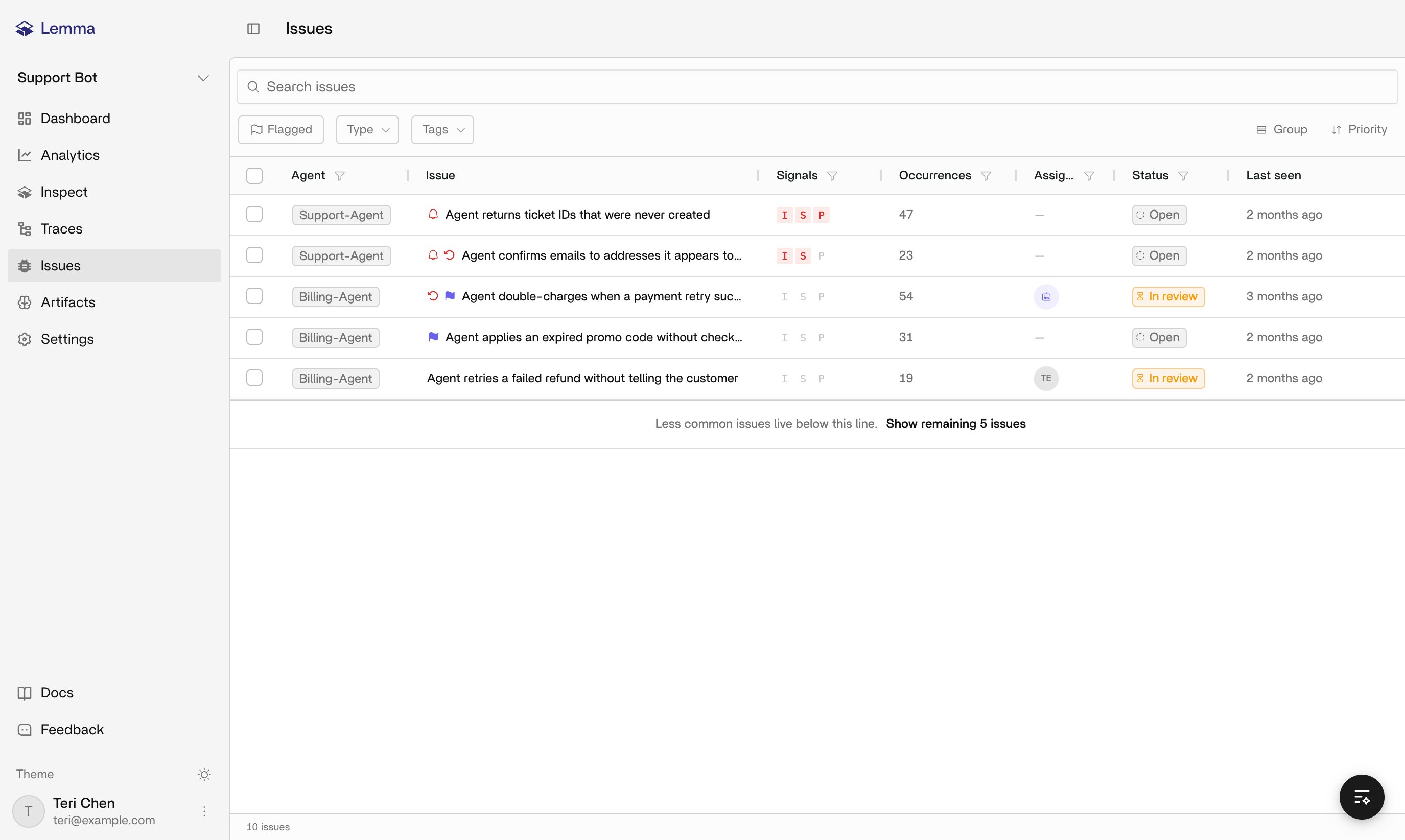
Issues and supporting traces
One issue can have many supporting traces. Opening an issue shows the rationale behind it, its category, priority signals, linked traces, and available actions. Opening a trace instead shows you whether Lemma observed one or more issues in that run.Issue status
resolved and dismissed are mutually exclusive. If two people act on the same issue at once, whichever transition commits first wins.
Matching evidence can reopen a resolved issue, but never reopens a dismissed one. Reopening an issue manually doesn’t by itself change a linked Linear ticket; see Linear for how those stay in sync. You can also flag an issue for review, assign it to a Lemma member, and add tags. Assignment inside Lemma doesn’t write to Linear unless you create a ticket and choose combined assignment.
Priority and grouping
Priority comes from recurrence and impact measured across your whole population of issues, things like volume and spikes. It is not a threshold you set. Treat it as a triage hint rather than a guarantee. A behavior monitor writes its own issues when a trace fits that monitor. Alerting on this page still follows the issue lifecycle. Grouping aims for one issue per underlying defect, but it isn’t perfect. If two issues look like the same bug, check their supporting traces rather than assuming Lemma missed an obvious merge. Grouping gets revised as more traces arrive.Investigating an issue
Use this page for status, priority, grouping, and the connections below. For the procedure, see Turning issues into fixes. Do not resolve from the issue title, an Inspect answer, or an open pull request. Dismiss here only when the finding is not a real defect. Add feedback so later extraction can learn.Workflow connections
Each connection reports on the issue lifecycle in a different way:- Slack: issue alerts and Issue Briefs sent to a project channel
- Linear: an optional one-to-one ticket link that you create, exact-link, or unlink explicitly
- Lemma MCP server: lets coding agents list and act on issues with an organization API key
- Webhooks:
issue.created,issue.resolved,issue.dismissed, andissue.reopenedevents
Related pages
Concepts
How traces and issues relate.
Monitors
Issues a behavior monitor writes when a trace fits.
Traces
Open the supporting executions for an issue.
Inspect
Ask why an issue was flagged and how to fix it.
Turning issues into fixes
Triage, inspect evidence, ship a change, and confirm it does not recur.
Artifacts
Agent context that can sharpen detection.
Slack
Issue alerts and Issue Briefs in your workspace.